
One System for the Whole Studio.
Booking, front desk, payments and the café in one system, already set up to look like ONELIFE.

In Use Every Day Since July.
Greenjacket Sports & Socials in Manila has run its bookings, front desk, payments and bar on this system since July. The screens in this deck are the ones their staff use.
What We'll Walk Through.
Already in Your Brand.
We've already built the booking page in ONELIFE's design system. You can try it now at the link below.
The rest of the screens in this deck work the same way, with your colours and your studios.
Say yes and we connect it all to the real system for your six studios.
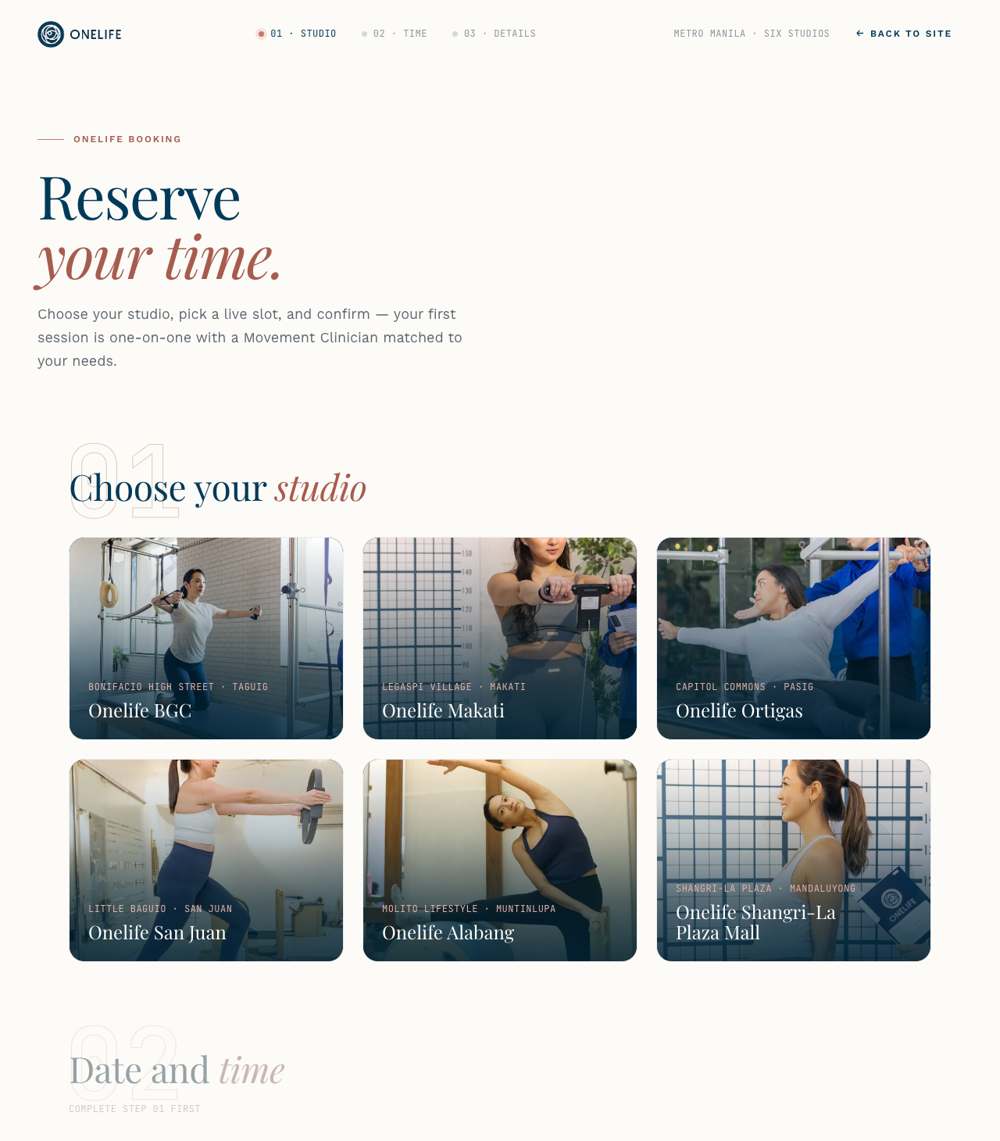
Pick a Studio, a Time, a Clinician.
Clients choose a studio, then a day, then a slot. Each slot shows which Movement Clinician is taking it.
If a slot is nearly full it says so. If it's full, it can't be picked.
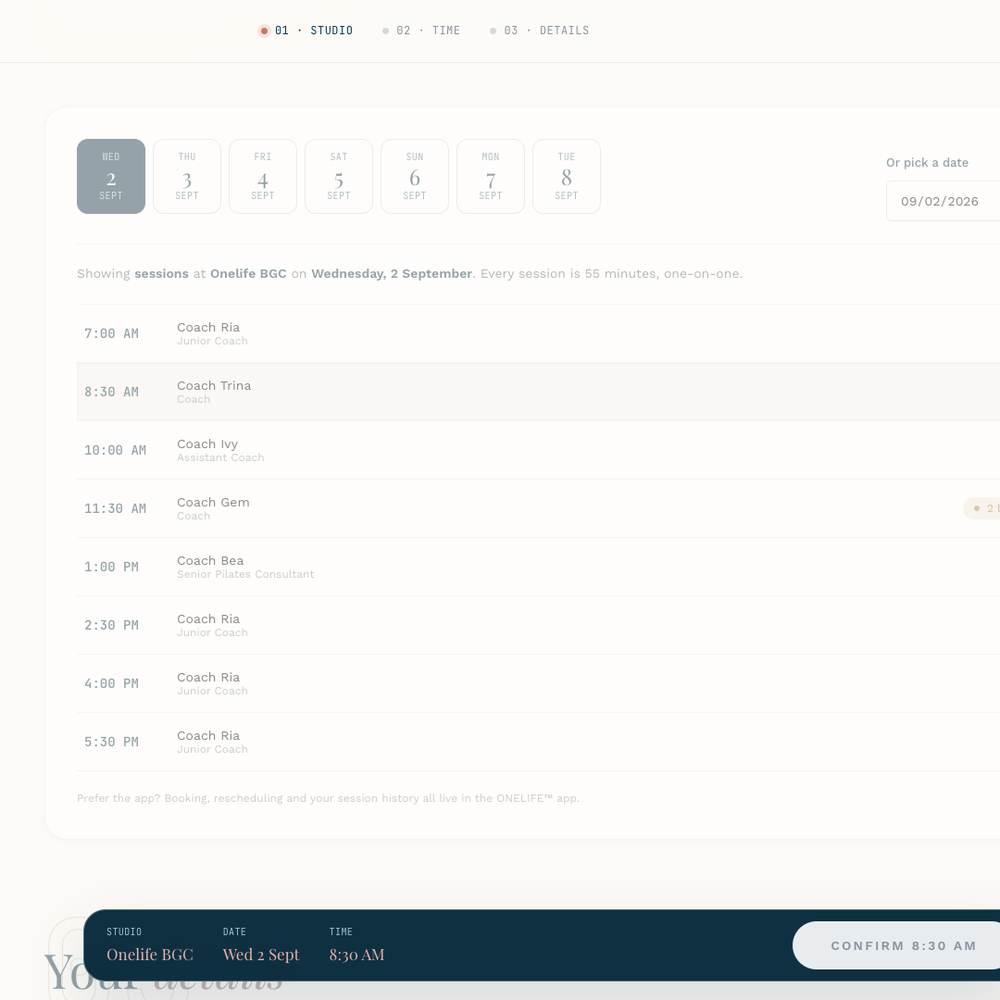
Clients Book Themselves.
When someone books, every other screen updates right away.
The slot is held the moment someone taps confirm, so two people can't end up with the same seat.
They get an email from your own address, and if they reply, it goes to your team.
The same booking page works on your website, in the app, or from a link in your Instagram bio.
You can ask about pregnancy or recent injuries before the first visit, right on the form.
What the Front Desk Sees.
One tap when a client arrives, one when they leave. No-shows end up in the numbers, not in memory.
Move, extend or cancel a session. If it's paid, a manager approves, and the screen reminds them cancelling isn't refunding.
Walk-ins and forgotten sessions can be added after the fact, marked so they never look like a normal booking.
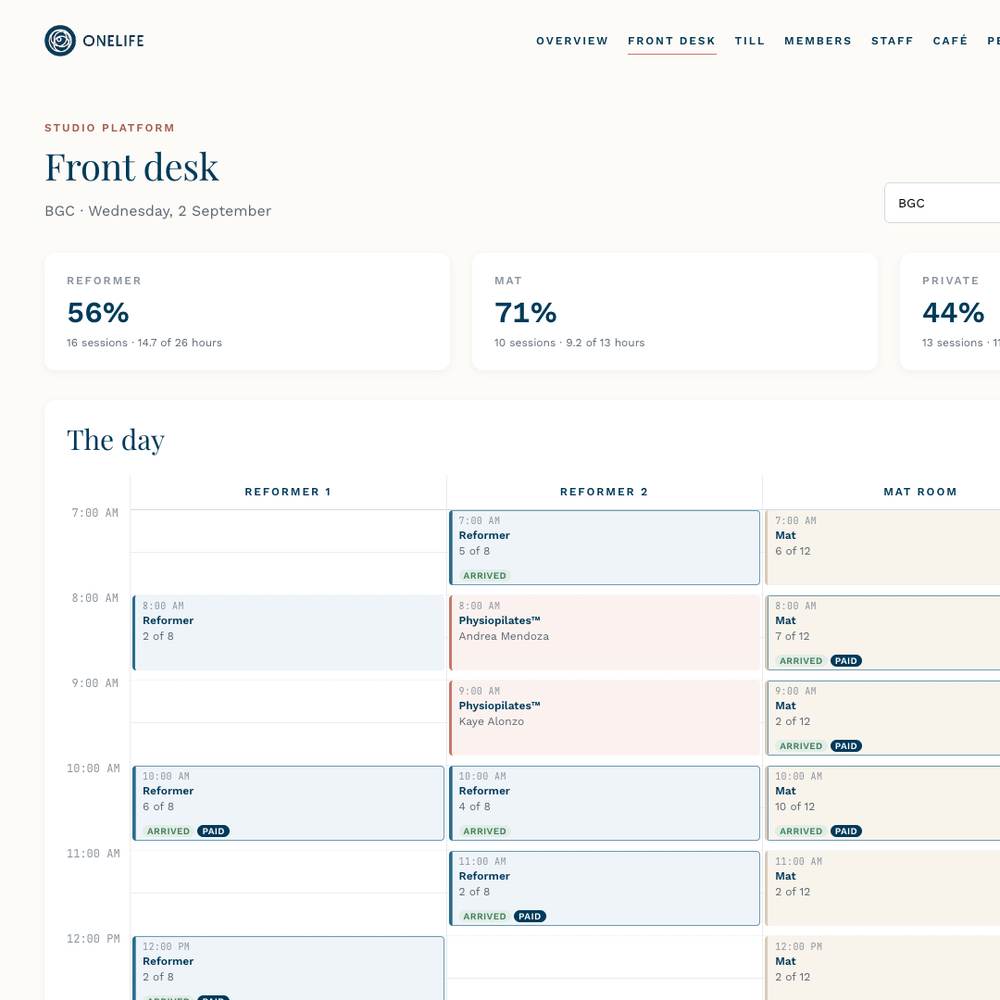
The Day Sheet.
Your front desk screen. Every room across the top, every half hour down the side, and who's arrived and who's paid on each session.
Try it yourself at the link below. Demo data only.
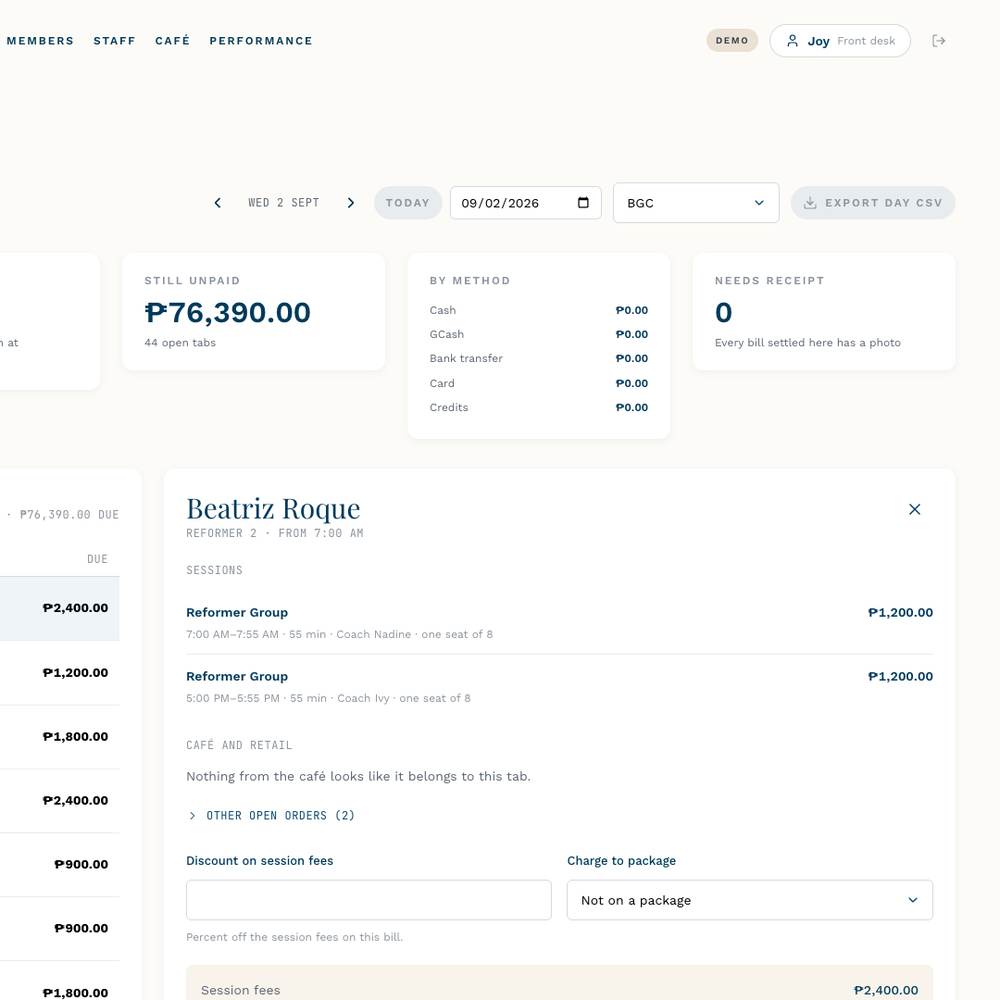
One Bill per Client.
A client's class, their smoothie and anything from the shop go on one bill, and the till keeps everyone honest.
Cash, GCash, bank transfer or card. One bill can be split between them.
Staff have to attach a photo of the receipt or GCash screen before they can close a bill.
Reversing a payment needs a manager's PIN. It puts back the session, the café order and any package credits.
At the end of the day you see what came in by payment type, what's still unpaid and which receipts are missing, then close the day with one button.
Closing the Day.
The till. Open tabs on the left, the client's bill on the right, with the session, the café order and how they're paying.
Split payments, package credits and the receipt photo are all on this one screen.
Packages and Memberships.
Class packs and monthly plans sit as a balance on the client's account. The till uses them automatically at checkout.
A 10-session pack is ten sessions, even if you change the price next year.
Unlimited members get a weekly allowance that resets every Monday on its own.
Every balance is worked out from the ledger each time, so it can't quietly go wrong.
Reformer 10-pack
sessions left

Every Payment Has a Name.
Each staff member has a PIN, and the system records who took each payment, who cancelled what, and who approved it.
Front desk staff can book and take payments. Managers set prices, sell packages and approve reversals.
Five wrong PINs and the account locks for fifteen minutes, until a manager unlocks it.
A manager can approve one action by typing their PIN on the staff member's screen, without signing them out.
If things go wrong on a busy night, one setting turns the PINs off and everything keeps working. Nothing is lost.
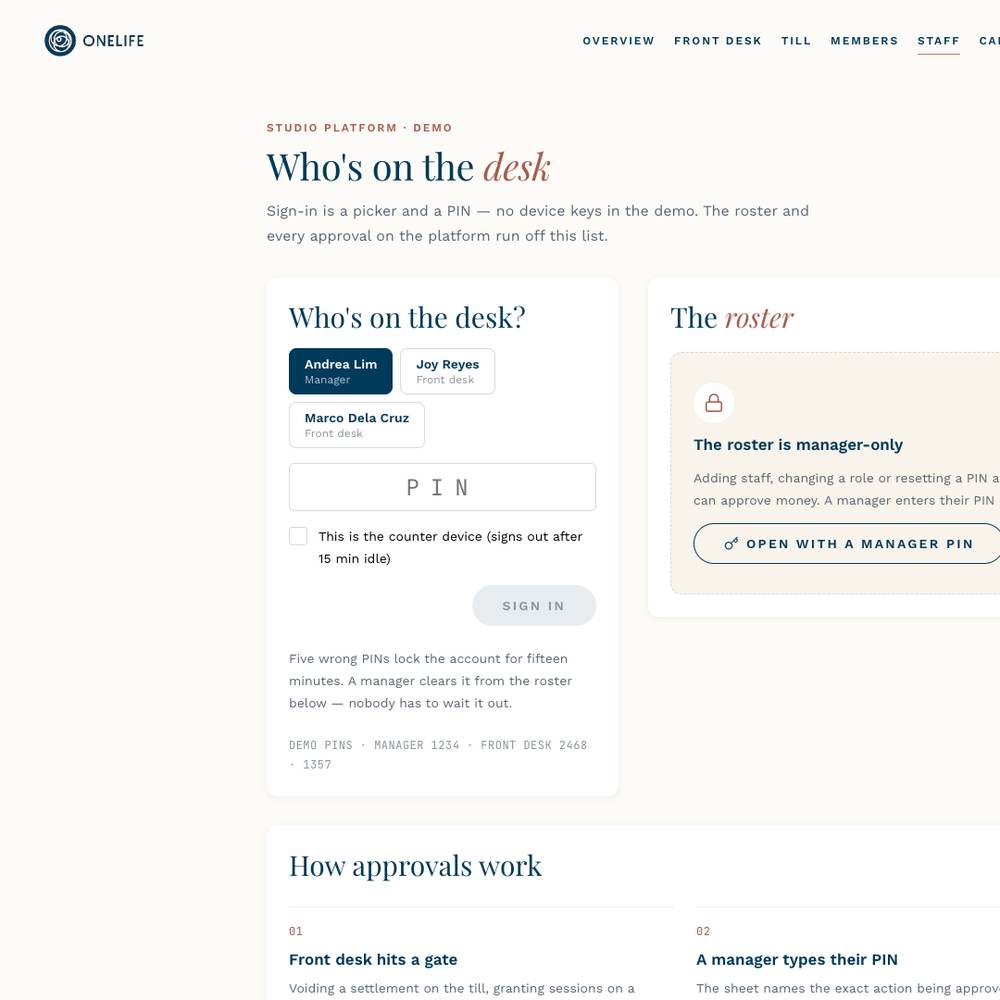
Who's on the Desk?
What staff see at the start of a shift: pick your name, type your PIN. A shared front desk iPad signs out by itself after fifteen minutes.
Managers see the roster on the same page and can add staff, reset a PIN or unlock someone.
Café and Retail, From the Mat.
Clients order from their phone. The counter sees it on a board. At checkout, the order is already on their bill.
A simple menu with live order status. Sold-out items just disappear for clients.
Orders move from new to preparing to delivered. A chime plays when a new one comes in.
The senior citizen and PWD discount is worked out correctly per item, and the ID number is kept for BIR.
Two friends on one tab can each pay for their own drinks.
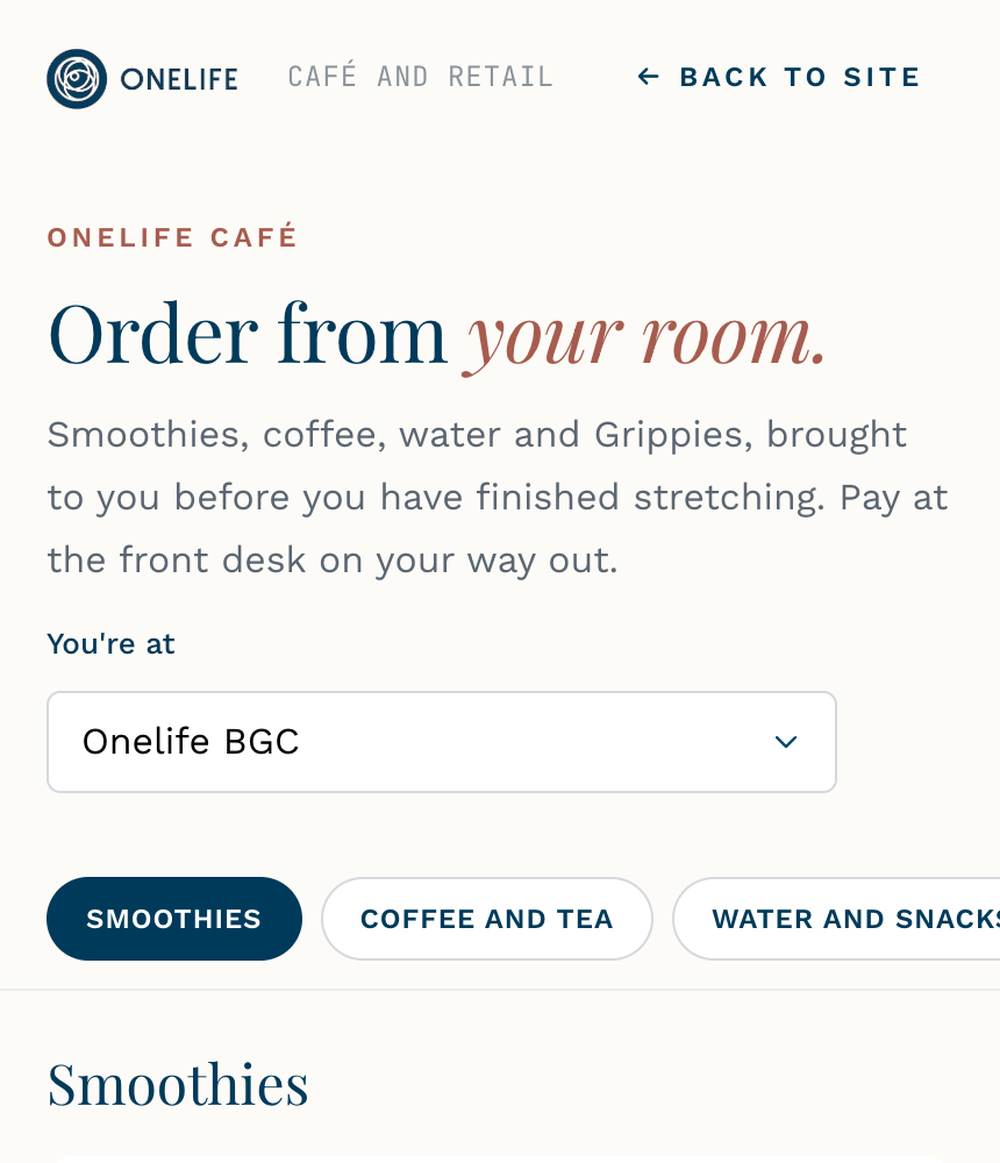
Order From the Mat.
The café menu as a client sees it on their phone. Pick a studio, add items, place the order and watch it move from new to preparing to delivered.
Grippies are on the same menu, so retail rides along with the smoothies.
The Counter's Side.
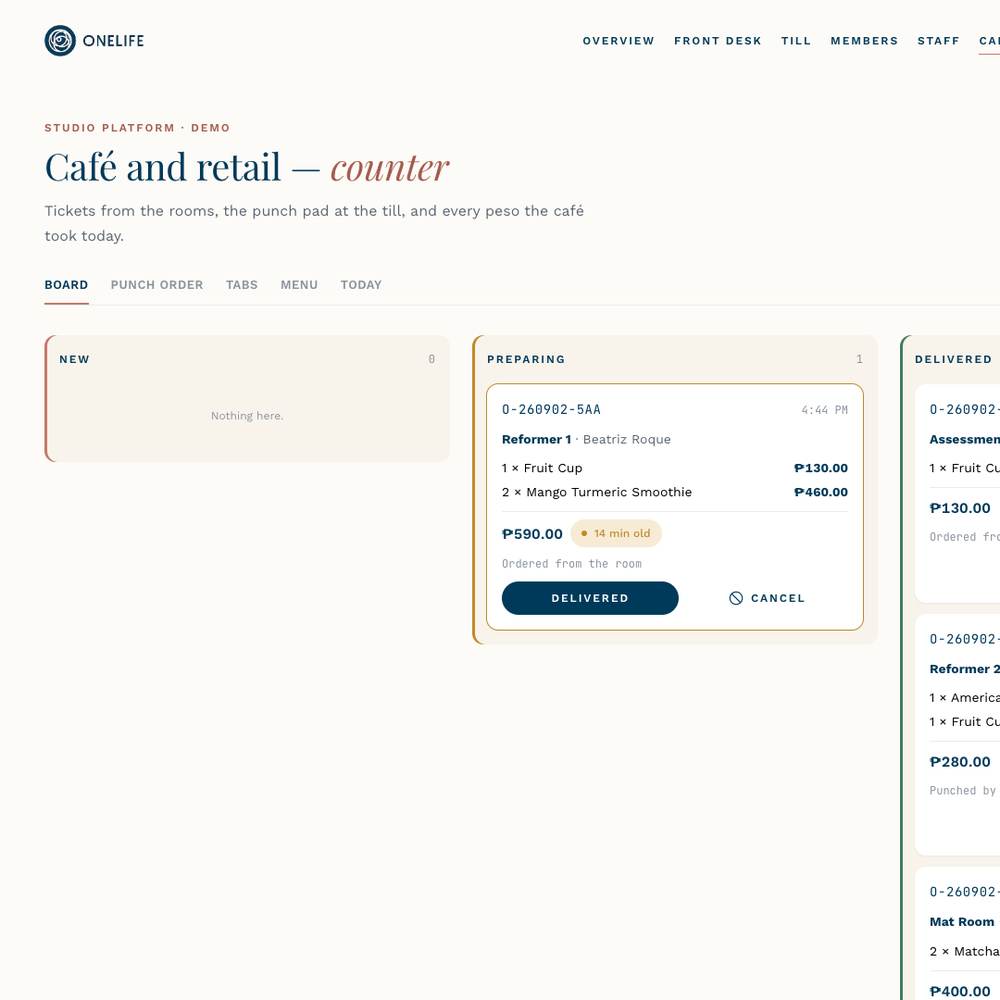
The counter board. New orders come in on the left with a chime and move across as they're made and delivered.
The same screen has the punch pad for walk-ups, running tabs, the menu editor and the day's report.
Found on Google, Installed on Phones.
Set up so Google understands your studios, hours and locations, with analytics you control.
Every book button opens the booking page on the right studio.
The privacy and data deletion pages Apple and Google require are included.
The iOS and Android app uses the same booking page as the website, so they never get out of sync.
We handle the icons, screenshots and the App Store and Play Store submissions.
Push notifications aren't built yet, but the app is ready for them.
The Same Flow, in Their Pocket.
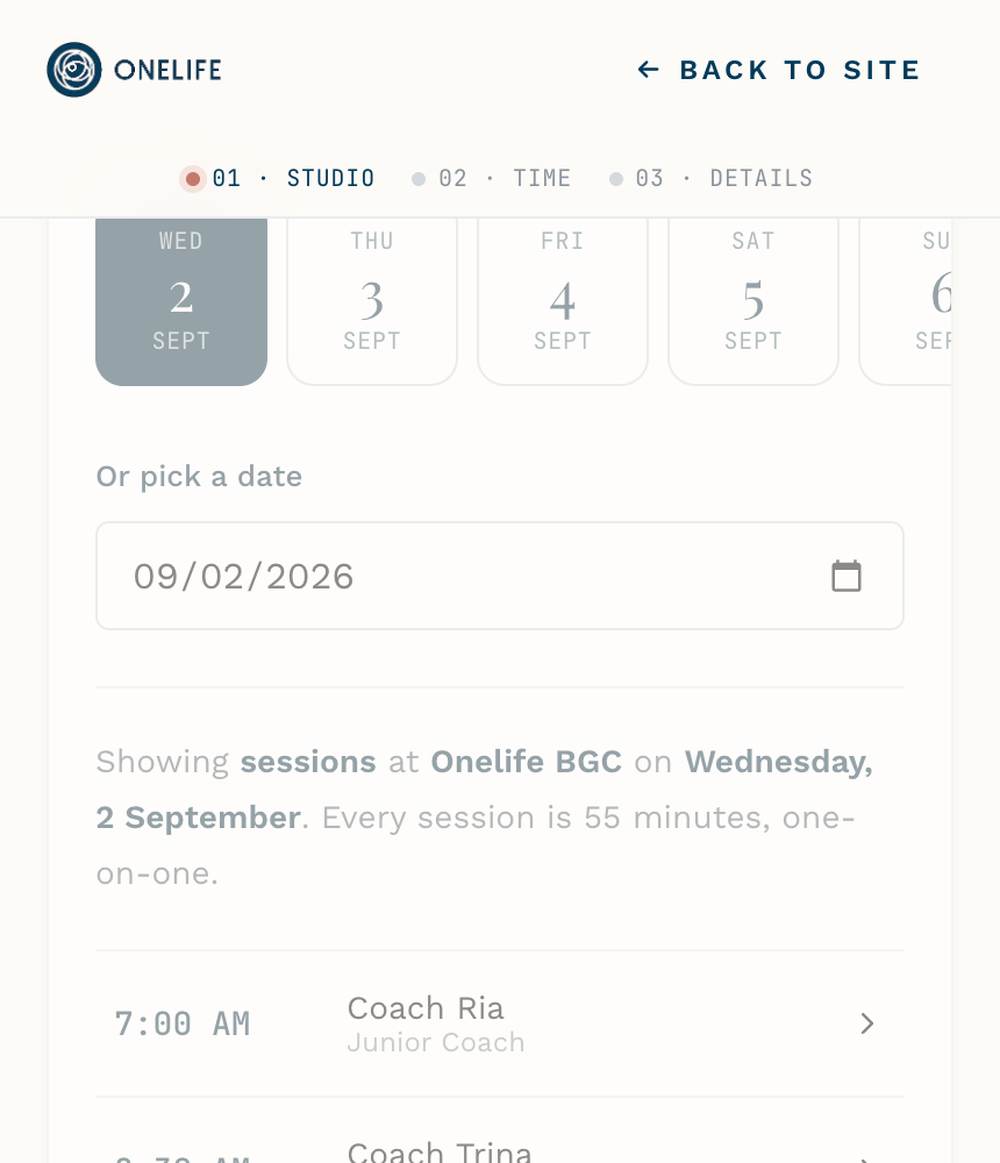
Booking on a phone. The same page as the website, with the same clinicians and slots.
Wrap it as an app and it lives on the home screen, with no second system to keep in sync.
What Comes Standard, What We Build for You.
Private sessions and room bookings
Front-desk calendar, arrivals, edits
Till, split payments, receipts, voids
Packages and memberships
Staff roles and PINs
Café and retail till with senior/PWD
Confirmation emails
Website, app and store submissions
Group classes with seat limits and a clinician
Per-class and per-pack pricing
Your copy and photos for six studios
Online card payments
Client log-in and buying packs online
Waitlists
Auto-renewing memberships
Push notifications
 ONELIFE
Start With One Studio.
We agree on what's included, start at one studio with your team trained on site, then bring the other five on one at a time.